

Ever feel like your team is stuck in quicksand, buried under a mountain of administrative chores? We’ve all been there. Manually updating spreadsheets, chasing down approvals, and pushing paperwork from one desk to another—it’s tedious, slow, and a breeding ground for human error, especially in high-stakes industries like real estate and energy.
This is exactly where workflow automation steps in and changes the game. And for specialized sectors, intelligent automation platforms like TitleTrackr are not just an improvement—they're a revolution.
What Is Workflow Automation
Think of workflow automation as creating a digital assembly line for your business operations. It’s a system that takes those repetitive, manual processes and puts them on autopilot using smart software. By setting up simple "if this, then that" rules, you can create a sequence of actions that just happens on its own, no hand-holding required.

This isn't just about moving faster; it's about freeing up your most valuable asset—your people—to focus on the high-impact work that actually drives growth and secures your deals.
The Core Idea Behind Automation
At its heart, automation is about creating a predictable, efficient, and reliable path for work to follow.
Instead of an employee physically walking an invoice over to a manager for a signature, the software automatically routes it based on its value. If it's under $500, it gets approved instantly. If it's over, it's immediately sent to the right department head. No delays, no lost papers, no confusion.
To get a clearer picture, let's look at the difference between a manual process and its automated counterpart.
Manual Vs Automated Workflows at a Glance
This table breaks down the core differences between a traditional manual process and a modern automated workflow, highlighting key improvements.
| Aspect | Manual Workflow | Automated Workflow |
|---|---|---|
| Speed | Slow and dependent on human availability. | Instantaneous and runs 24/7. |
| Accuracy | Prone to human error (typos, missed steps). | Highly consistent and error-free. |
| Scalability | Difficult and expensive to scale. | Easily scales to handle higher volumes. |
| Visibility | Opaque; hard to track progress. | Transparent with real-time status updates. |
| Cost | High labor and operational costs. | Reduces operational costs significantly. |
The contrast is stark. Automation doesn't just do the same work faster; it fundamentally changes how the work gets done, making it more reliable and efficient from the ground up.
Everyday Examples in Action
This concept applies to virtually any industry, especially those drowning in complex paperwork. Key functions that are perfect for automation include:
- Data Entry and Transfer: Automatically moving information from a web form into your CRM without anyone ever touching a keyboard.
- Notifications and Alerts: Sending instant email or Slack pings to team members when a task needs their attention or a deadline is near.
- Document Routing: Ensuring contracts, reports, and other critical files land on the right desks for review and approval, always in the correct order.
- Report Generation: Compiling data from multiple sources into a polished weekly or monthly report that's waiting in your inbox every Monday morning.
The goal isn’t to replace people but to empower them. By handing over the mundane tasks to machines, skilled professionals in fields like real estate title research or energy land management can dedicate their expertise to analysis, strategy, and complex problem-solving.
It’s no surprise the market for these solutions is exploding. The global workflow automation market is expected to rocket past USD 80.57 billion by 2035, a massive leap from its 2025 valuation. This growth is being driven by businesses of all sizes who are tired of operational friction and are ready for a smarter way to work. For more details on this trend, check out the market analysis from Research Nester.
Platforms like TitleTrackr are on the front lines of this shift, applying intelligent automation to highly specialized fields. By transforming intricate processes like real estate title searches into streamlined, error-free operations, this technology doesn't just save time—it rewrites the rulebook for how essential work gets done.
Understanding the Building Blocks of Automation
To really get what workflow automation is, it helps to pull the concept apart and look at its core pieces. Think of it like a smart, self-watering garden system. The whole thing doesn't just happen at random; it's a logical sequence of events where each component has a specific job, all working toward one goal.
This simple but powerful structure is what lets automation take on complex business processes with incredible precision and reliability. Every automated workflow, whether it’s for processing an invoice or running a real estate title search, is built on three fundamental building blocks.
The Trigger That Starts It All
Every automated process has to start somewhere, and that "somewhere" is a trigger. This is the specific event that kicks everything into gear. In our garden analogy, the trigger is the sensor noticing the soil has gotten too dry. It’s the starting pistol for the race.
In a business environment, a trigger could be anything from:
- An employee submitting a new expense report.
- A customer filling out a contact form on your website.
- A new legal document being uploaded to a specific folder.
The trigger is the crucial first domino. Without it, the rest of the workflow just sits there, waiting for the signal to start.
The Logic That Guides the Path
Once a workflow is triggered, it needs direction. This is where logic, or conditions, come in. These are the "if-then" rules that guide the process, making sure the right steps happen at the right time. For the garden, the rule is simple: if the soil moisture drops below 30%, then start the watering sequence.
In a business context, logic carves out the path based on specific criteria.
For example, an invoice approval workflow might have a condition: if the invoice amount is over $1,000, then send it to a department manager for manual approval. If it's under that amount, it can be approved automatically. This conditional step adds a layer of intelligence, preventing simple automation from making complex errors.
This visual concept map breaks down how these components connect to form a complete automated workflow.
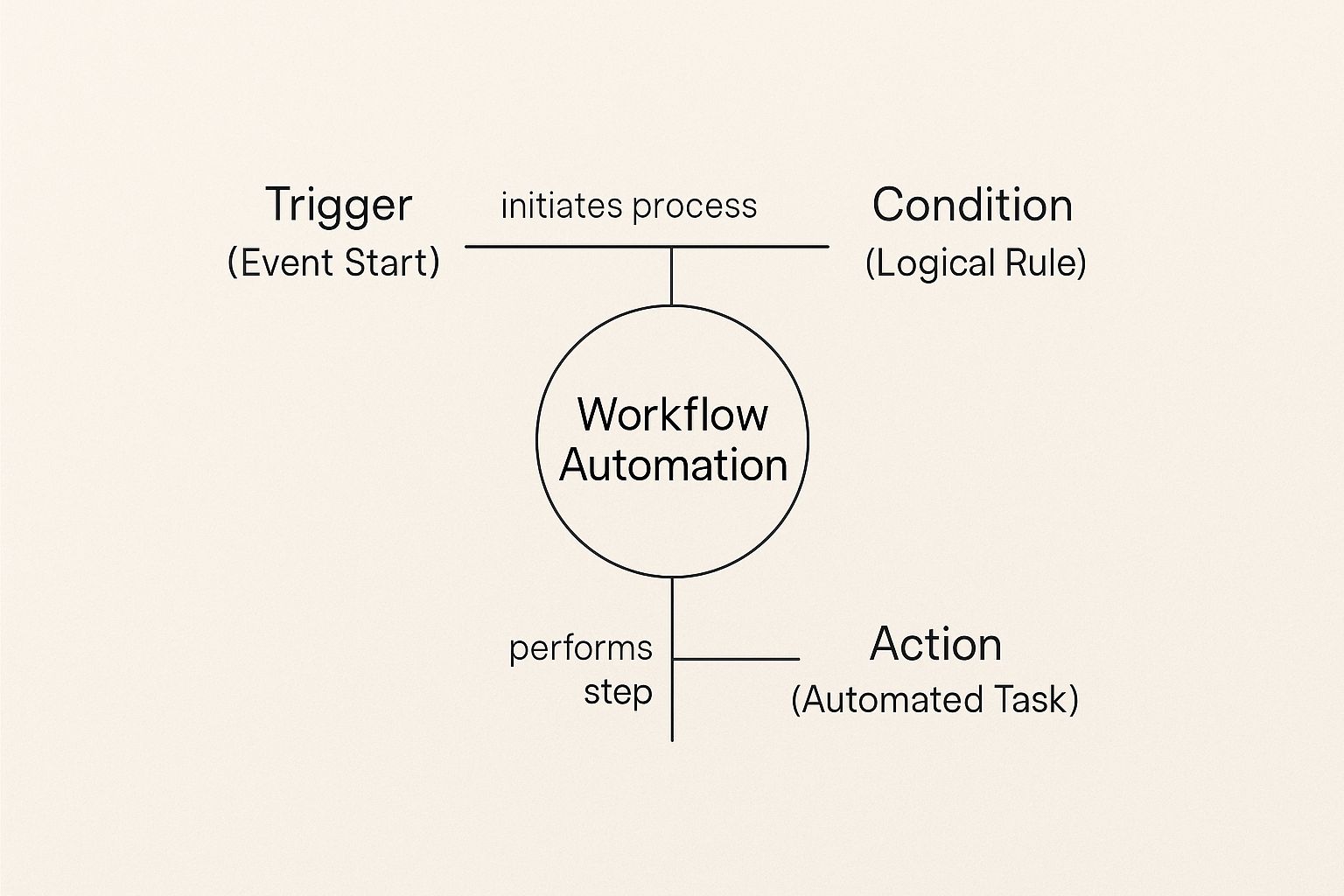
As the map shows, every automated process kicks off with a trigger, is steered by conditional logic, and finishes with a specific action.
The Actions That Get the Work Done
Finally, you have the actions. These are the actual tasks the software performs once a trigger happens and any conditions are met. Back in the garden, the actions are the hose turning on, water flowing for a set amount of time, and then the hose turning off.
In your business, actions are the real workhorses of automation. A single trigger can set off a whole chain of actions, like this:
- Creating a Record: A new sales lead triggers the system to create a new entry in your customer relationship management (CRM) software.
- Assigning a Task: The system then automatically assigns that new lead to a specific sales representative.
- Sending a Notification: Finally, it sends an email to the customer confirming their inquiry and a Slack message to the sales rep about their new task.
These three components—triggers, logic, and actions—work together seamlessly to create powerful, automated systems. Once you understand these building blocks, you can start to see how virtually any rule-based process, no matter how complex, can be broken down and automated. This is the foundation upon which platforms like TitleTrackr build sophisticated solutions for industries that depend on accuracy and speed.
The Real-World Benefits of Automating Your Workflows
It’s one thing to understand the mechanics of workflow automation, but it’s another to see how it actually impacts your bottom line. Let's move past the technical diagrams. The real power here is in the tangible, measurable outcomes it delivers day in and day out. By taking over the repetitive, rule-based tasks that clog up your team's schedule, automation directly solves some of the most persistent and costly headaches businesses face.

From giving your team a massive productivity boost to slashing operational costs, the benefits create a powerful ripple effect across the entire organization. Here are the four critical areas where you'll see the biggest difference.
Supercharge Your Team's Efficiency
The most immediate win you’ll see is a dramatic spike in operational efficiency. Just think about the countless hours your team burns on manual data entry, routing documents for approval, or chasing down updates with follow-up emails. These tasks are necessary, but they’re low-value activities that eat up a huge chunk of the day.
Automation puts these jobs in the hands of software that runs 24/7 without getting tired or needing a coffee break. This frees your people to focus on what they do best: strategic thinking, complex problem-solving, and building client relationships that actually drive growth. The result is a much more productive and engaged workforce.
Drastically Reduce Human Error
No matter how skilled or dedicated your team is, manual work will always be a magnet for human error. A single typo in a legal document, a misplaced decimal in a report, or a missed step in an approval chain can spiral into costly rework, compliance fines, or even damaged client trust.
Automated workflows, on the other hand, perform tasks with perfect consistency every single time.
By sticking to pre-defined rules without ever deviating, automation practically eliminates the risk of human error in data transfers, calculations, and process execution. This level of precision is an absolute game-changer in detail-oriented fields like real estate title searches, where one mistake can derail an entire transaction.
This built-in accuracy leads to higher-quality work and a far more reliable foundation for your operations.
Enhance Compliance and Transparency
In many industries, especially real estate and energy, keeping a clear, auditable trail of every action isn't just a good idea—it's a strict requirement. Manual processes make this a nightmare. Tracking down who did what, when, and why often means digging through endless email chains and scattered notes, which can become a major liability during an audit.
Workflow automation systems solve this problem by design. Every action, approval, and data change is automatically logged, creating a transparent and easily accessible audit trail. This ensures your processes stick to both internal policies and external regulations while giving you complete visibility into your operations at any given moment.
Unlock Significant Cost Savings
When it comes down to it, all these benefits—more efficiency, fewer errors, and tighter compliance—translate directly into major cost savings. When your team spends less time on grunt work, your labor costs go down. When you eliminate mistakes, you stop paying to fix them.
The numbers don't lie. Studies show that about 51% of employees spend at least two hours a day on tasks that could easily be automated. Yet, surprisingly few businesses have fully automated these workflows, leaving a massive opportunity on the table. Companies that do take the leap report an average 22% reduction in operating costs and can see a return on investment between 30% and 200% in the very first year. For a deeper dive into the data, you can explore the full findings on automation statistics.
By shifting resources from manual labor to innovation, you're not just cutting costs—you’re making a smart investment in your company's future.
How Top Industries Use Workflow Automation
Talking about workflow automation in theory is one thing, but seeing it in action is where it really clicks. Across dozens of industries, this isn't just a buzzword—it's the engine solving real-world, high-stakes problems that have held businesses back for years.

While the applications are nearly endless, automation delivers its most dramatic results in fields drowning in paperwork, complex documents, and regulatory hoops. Let’s look at two specific areas where accuracy and speed aren’t just nice to have—they’re everything: real estate and energy.
Real Estate Title Searches Reimagined
Anyone who’s worked in real estate knows the traditional title search is a masterclass in manual effort. A skilled professional has to spend hours, sometimes days, digging through dusty courthouse records, navigating clunky digital databases, and piecing together a property's history. They trace ownership, hunt for liens, and flag anything that could derail a closing.
It’s slow work. And it’s dangerously prone to human error. One missed document or misinterpreted clause can spiral into massive financial and legal headaches.
Now, imagine that process with an automated workflow. An intelligent system can:
- Instantly access and pull data from multiple county record sources at the same time.
- Analyze deeds, mortgages, and liens in a fraction of the time it would take a person.
- Automatically flag discrepancies or breaks in the chain of title for an expert to review.
This completely changes the role of the title professional. They stop being data gatherers and become strategic problem-solvers, focusing their expertise on the complex issues the system finds. The result is a title search process that’s faster, more accurate, and far more reliable.
The benefits for professional title abstractors are huge, giving them the power to handle more volume with greater confidence than ever before.
Taming Complexity in Energy Land Records
The energy sector deals with a similar beast, especially when it comes to managing land records and mineral rights. The paperwork is unbelievably complex, often tangled in convoluted ownership histories, intricate lease agreements, and overlapping rights that go back generations.
Trying to manage these records by hand is a monumental job. Landmen have to navigate a maze of legal descriptions and historical documents just to figure out who owns what and ensure compliance.
Workflow automation cuts through the chaos. A smart system can:
- Digitize and index huge archives of land records, making them instantly searchable.
- Track lease expiration dates and royalty payments, sending out automatic alerts to prevent costly mistakes.
- Cross-reference data sources to quickly spot ownership conflicts or gaps in the documentation.
This systematic approach finally brings clarity and control, helping energy companies manage their assets more effectively and reduce the legal risks tied to land use and mineral rights.
Universal Power Across Other Key Sectors
The principles that make automation so powerful in real estate and energy apply everywhere. We’re seeing the same kind of transformation in other data-heavy fields.
Finance and Banking
Think about loan approvals. A workflow that once took weeks of shuffling papers can now be done in hours. An automated system pulls a credit report, verifies income documents, and runs the application against lending rules—all in a flash. If everything checks out, the loan gets a provisional green light, and only the exceptions need a human review.
Human Resources
Employee onboarding is another classic example. A new hire triggers an automated sequence that:
- Sends out the welcome packet and required forms.
- Adds the new employee to the payroll system.
- Creates their company email and login credentials.
- Notifies IT to get their computer ready.
This guarantees a smooth, consistent experience for every new team member, gets rid of missed steps, and frees up HR to focus on the human side of their job. This has all been made possible by the rise of cloud-based, AI-integrated platforms that make managing these complex workflows easier for everyone. As companies continue their digital push, simply knowing what is workflow automation has become critical for staying competitive.
How TitleTrackr Puts the "Intelligent" in Automation
Standard workflow automation is great at following a script. It runs on a predictable "if this, then that" logic, which works perfectly well for simple, repetitive chores. But what happens when the data isn't clean, neatly structured, or predictable? That's where intelligent automation, powered by Artificial Intelligence (AI), takes a massive leap forward.
While basic automation simply follows the rules you give it, intelligent automation actually makes decisions. It doesn't just shuffle information around; it understands it. This is the core difference that sets TitleTrackr apart from conventional tools. Our platform isn't just built to execute tasks—it's designed to think like an expert.
Moving Beyond Simple Rules
Simple automation tools are great at recognizing data that's already organized, like numbers in a spreadsheet or fields in a web form. But in the world of real estate and energy, the most critical information is often locked away in unstructured formats—think scanned legal documents, handwritten notes scribbled on a deed, or complex clauses buried in a contract from decades ago.
A rule-based system sees these documents as nothing more than digital noise. TitleTrackr, on the other hand, sees context. Our AI and machine learning models have been trained to read and interpret these complex files just like a seasoned human expert would.
This is how TitleTrackr can spot potential defects in a chain of title that a purely rule-based system would sail right past. It’s not just checking boxes on a list; it’s performing a deep analysis, understanding the nuance and history behind the data.
This kind of capability is no longer a nice-to-have for modern businesses. Advances in AI and Machine Learning (ML) are giving automation platforms smarter decision-making abilities, massively expanding what they can be used for. The growth of the Internet of Things (IoT) also plays a huge role, with 57.5% of organizations in 2024 now using connected devices for process automation—and that number is only going up. You can discover additional insights into the workflow automation market and see where these trends are headed.
An Intelligent Partner That Learns and Adapts
Here's the real magic behind TitleTrackr's AI: it gets smarter over time. Every title search it runs, every document it analyzes, and every correction made by a human expert becomes a new learning experience. This continuous feedback loop sharpens its accuracy and deepens its understanding with every single project.
This adaptive learning means the platform evolves right alongside your business, offering capabilities that go far beyond what static automation can do:
- Contextual Understanding: It can tell the difference between a lien, a mortgage, and an easement based on the specific legal language used, not just by matching keywords.
- Anomaly Detection: The AI learns what a "normal" chain of title looks like for a specific county or property type and can instantly flag unusual or high-risk entries that need an expert's eye.
- Predictive Insights: Over time, it can start to identify patterns that might point to future problems, helping your team get ahead of issues before they cause delays.
Our platform wasn't designed to replace human expertise, but to amplify it. It acts as an intelligent partner, handling the exhaustive and tedious data analysis so your team can focus on making final judgments and strategic decisions. For those curious about how our technology plays with existing systems, our team provides extensive support. You can explore our resources for developers and technical teams to learn more.
This is the level of intelligent automation that transforms a slow, tedious process into a genuine competitive advantage. It’s the next evolution in what workflow automation can do for your business.
A Practical Roadmap to Implementing Automation
So, you're ready to jump into workflow automation? That's great. But turning that spark of motivation into real results doesn't have to be some overwhelming, complicated project. With a clear plan, you can avoid the common traps and start seeing wins from day one.
The trick is to start small and be smart about it. Don't try to automate your most tangled, complex process right out of the gate. Instead, look for the "low-hanging fruit." These are the quick wins that build confidence and show your team just how powerful this can be.
Identify Your Best Starting Points
First things first, find the tasks that are begging to be automated. We're talking about the high-volume, repetitive, rule-based stuff. Think about the daily or weekly chores that eat up hours but don't require much brainpower—things like mind-numbing data entry, generating the same report over and over, or doing that initial document sort.
Nailing these simple tasks first gives you an immediate, measurable boost in productivity. It's the perfect way to get your team comfortable with the new system and prove the concept without a massive upfront effort.
Map Your Current Process
You can't automate what you don't understand. Before you touch a single piece of software, you need to map out your existing workflow from start to finish. I mean every single step. Who does what? What information do they need? Where do things slow down or break?
This mapping exercise is absolutely critical. It doesn't just shine a light on bottlenecks you never knew you had; it gives you the blueprint for building an automated workflow that actually works. Skipping this step is probably the number one reason automation projects go off the rails.
Select the Right Automation Tools
Once you know what you're automating, you have to decide how you'll do it. The market is flooded with tools, from generic catch-all platforms to highly specialized software. For industries like real estate title and energy land management, an industry-specific tool like TitleTrackr is a no-brainer.
Sure, a generic tool might handle basic tasks. But it won't know how to read a complex legal description or navigate the quirks of a county records portal. A purpose-built solution already understands the language you speak and the challenges you face, which means you get up and running faster and see more accurate results right away.
Implement, Test, and Refine
Finally, remember that this isn't a "set it and forget it" deal. Roll out your new automated process in phases, maybe starting with a small pilot group. This keeps disruption to a minimum and lets you gather real-world feedback in a controlled way.
From there, you need to track your progress. Keep a close eye on the metrics that matter to see if it's all working.
- Time Saved: How many hours is your team getting back each week?
- Error Reduction: By what percentage have you cut down on manual mistakes?
- Process Speed: How much faster are you getting from Point A to Point B?
Use this data to prove your return on investment (ROI) and find opportunities to make things even better. It’s a continuous cycle: implement, test, and improve. That’s how you build an automation strategy that keeps delivering value long-term.
Common Questions About Workflow Automation
Taking the first step into workflow automation can feel like a huge leap, and it’s smart to have a few questions before you dive in. Business leaders often ask about the cost, how it will affect their team, and frankly, where to even begin. Let's tackle some of the most common concerns so you can move forward with confidence.
Getting these answers is the key to understanding the full picture of what is workflow automation and how it truly fits into your company.
Is Automation Too Expensive for My Business?
This is the number one question on everyone's mind, especially for smaller businesses. The good news is that modern automation isn't just a luxury for massive corporations. The real conversation isn't about the price tag; it's about the Return on Investment (ROI). When you factor in the elimination of countless hours of manual work and costly human errors, a good automation platform pays for itself much faster than you'd think.
Many platforms offer flexible pricing, letting you start small and scale as you grow. The truth is, the cost of not automating—measured in lost time, missed opportunities, and preventable mistakes—is almost always far greater than the investment in the right tool.
The real expense comes from continuing to pay skilled professionals for repetitive, low-value work that software can handle in a fraction of the time. Automation frees that budget for innovation and growth.
Will Automation Replace My Employees?
This is a common fear, but it's largely a myth. The goal of workflow automation isn't to replace people. It's to augment their skills. It’s about shifting your team's energy away from tedious, manual chores and toward the high-value, strategic work that requires human creativity, insight, and critical thinking.
Think of it this way: automation handles the "what," so your team can focus on the "why." By taking over the monotonous data gathering and process execution, the software gives your experts the time and information they need to make better, faster decisions. For a deeper dive into other common questions, feel free to explore our comprehensive FAQ page for more answers.
How Do I Know Which Process to Automate First?
Getting started is easier than it sounds. You don’t have to transform your entire operation overnight. The best strategy is to look for a process that is:
- High-Volume: A task that your team performs dozens or hundreds of times a day or week.
- Rule-Based: A process that follows a clear, predictable sequence of steps every single time.
- Time-Consuming: A workflow that currently eats up a significant chunk of your team's day.
Things like initial data entry, sorting new documents, or generating routine reports are perfect starting points. By picking a simple, high-impact process for your first project, you'll score a quick win and build momentum for everything that comes next.
Ready to see how intelligent automation can completely transform your most complex document workflows? TitleTrackr uses AI to bring incredible speed, accuracy, and clarity to your operations. Request a personalized demo today and discover what your team can really achieve.
 blog.titletrackr.com
Leave a comment