

Manual document processing is a major bottleneck in industries like real estate, energy, and legal services. Generating complex sales contracts, land agreements, or detailed real estate title reports manually consumes thousands of hours and introduces significant risk of human error. The demand for greater speed and precision has made manual workflows unsustainable. This is where the best document automation software transforms operations, converting repetitive tasks into efficient, intelligent, and scalable processes.
However, the market is crowded with options, making it difficult to identify the right solution for your specific needs. A platform designed for simple sales proposals may not handle the complex, data-intensive requirements of a title search abstractor or an oil and gas landman. This guide is designed to cut through the marketing noise and provide a clear, practical analysis. We will dive deep into the top document automation platforms, evaluating them on critical features, real-world applications, and their genuine limitations.
This comprehensive resource will help you find the best fit for your team. We will explore platforms ranging from industry-specific solutions like TitleTrackr, built for the complexities of land and title documents, to versatile tools like DocuSign Gen and Conga Composer. Each review includes screenshots and direct links, equipping you with the information needed to make a confident decision and reclaim countless hours of productivity.
1. TitleTrackr
TitleTrackr stands out as a premier solution in the best document automation software category, specifically engineered for the high-stakes world of real estate, land management, and energy development. It leverages generative AI to automate the painstaking process of title searches and document analysis, transforming what traditionally takes hours into a task completed in seconds. The platform ingests complex legal documents-from warranty deeds to tax liens-and intelligently extracts critical data points with remarkable accuracy.
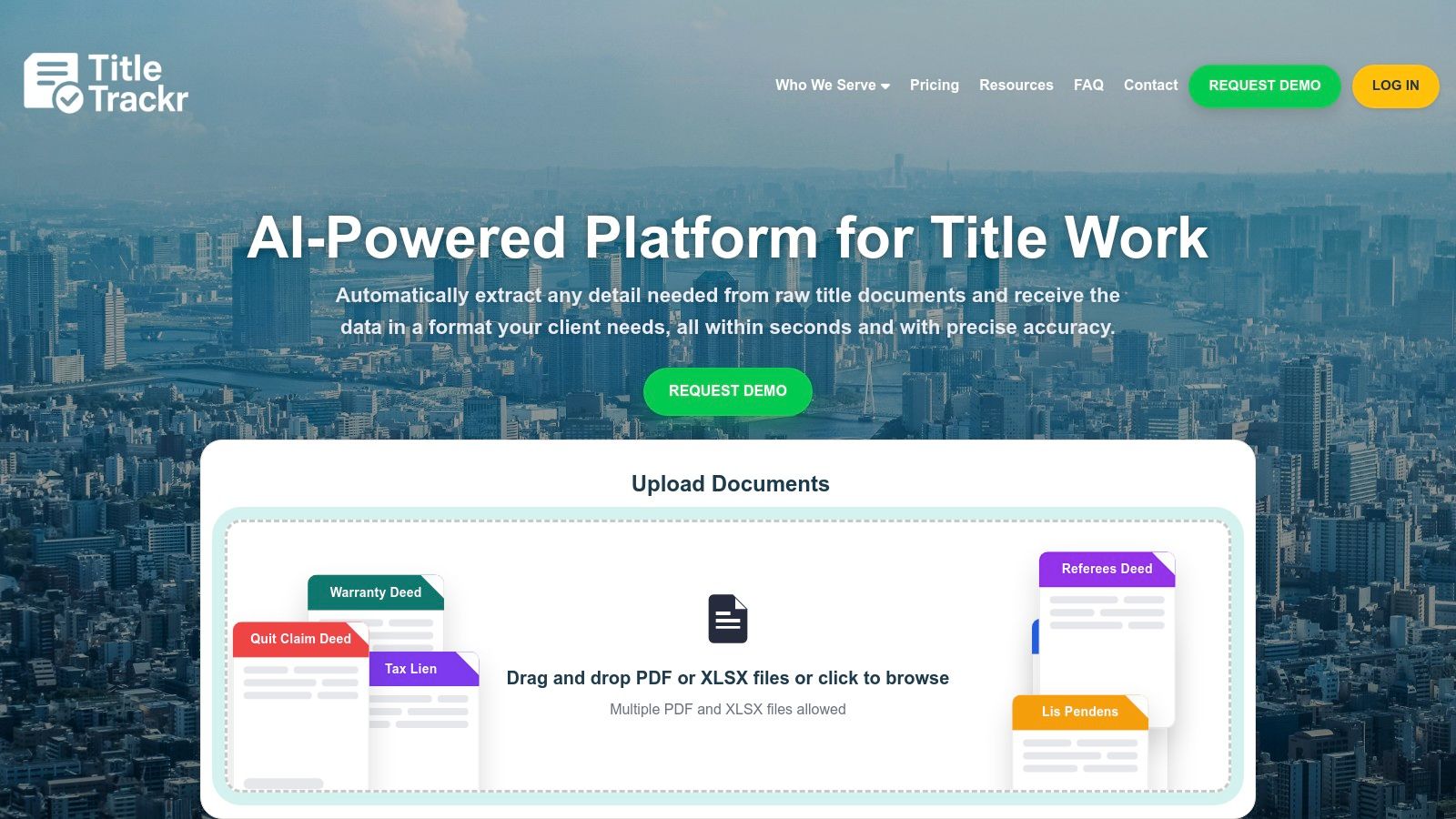
What truly sets TitleTrackr apart is its ability to not just extract data but to generate professional, client-ready reports that conform precisely to your existing formats. This eliminates the manual reformatting and data entry that often follows data extraction, delivering a seamless end-to-end workflow. For real estate title abstractors, oil and gas landmen, and renewable energy developers, this means a direct and substantial boost in productivity.
Core Capabilities and Use Cases
TitleTrackr is more than a simple data scraper; it’s a strategic tool designed for deep document intelligence. Its chat-driven data analysis feature allows users to "talk" to their documents, asking specific questions to uncover nuanced insights or verify information without rereading entire files.
- Real Estate Title & Abstracting: Automate the entire title search process, from data extraction to creating final abstract reports. Case studies, like the one from Smith Wallach Title Abstract, report up to 90% gains in efficiency.
- Energy and Land Management: Oil, gas, and renewable energy developers can rapidly analyze land records, leases, and mineral rights documents, accelerating due diligence and project timelines.
- Workflow Integration: The software is designed to integrate smoothly with your existing tools, ensuring a minimal learning curve and immediate productivity gains without overhauling your current processes.
Implementation and Support
Recognizing that AI adoption can be a hurdle, TitleTrackr provides best-practice implementation guides. These resources help users train the AI effectively, avoid common pitfalls, and maximize their return on investment from day one.
Pros:
- Dramatically boosts efficiency by up to 90%
- Extracts precise data from any real estate legal document in seconds
- Generates professional reports in your existing client-specific formats
- Integrates seamlessly with current tools and workflows
- Includes expert-guided resources to maximize AI effectiveness
Cons:
- Pricing details require a personalized demo or consultation
- Requires a brief training period to fully leverage advanced AI capabilities
Pricing is available upon request through a personalized demo, which allows their team to tailor a solution to your specific operational needs. For those in the title search industry, you can learn more about how TitleTrackr supports abstractors and request a demo to see the platform in action.
2. DocuSign Gen for Salesforce
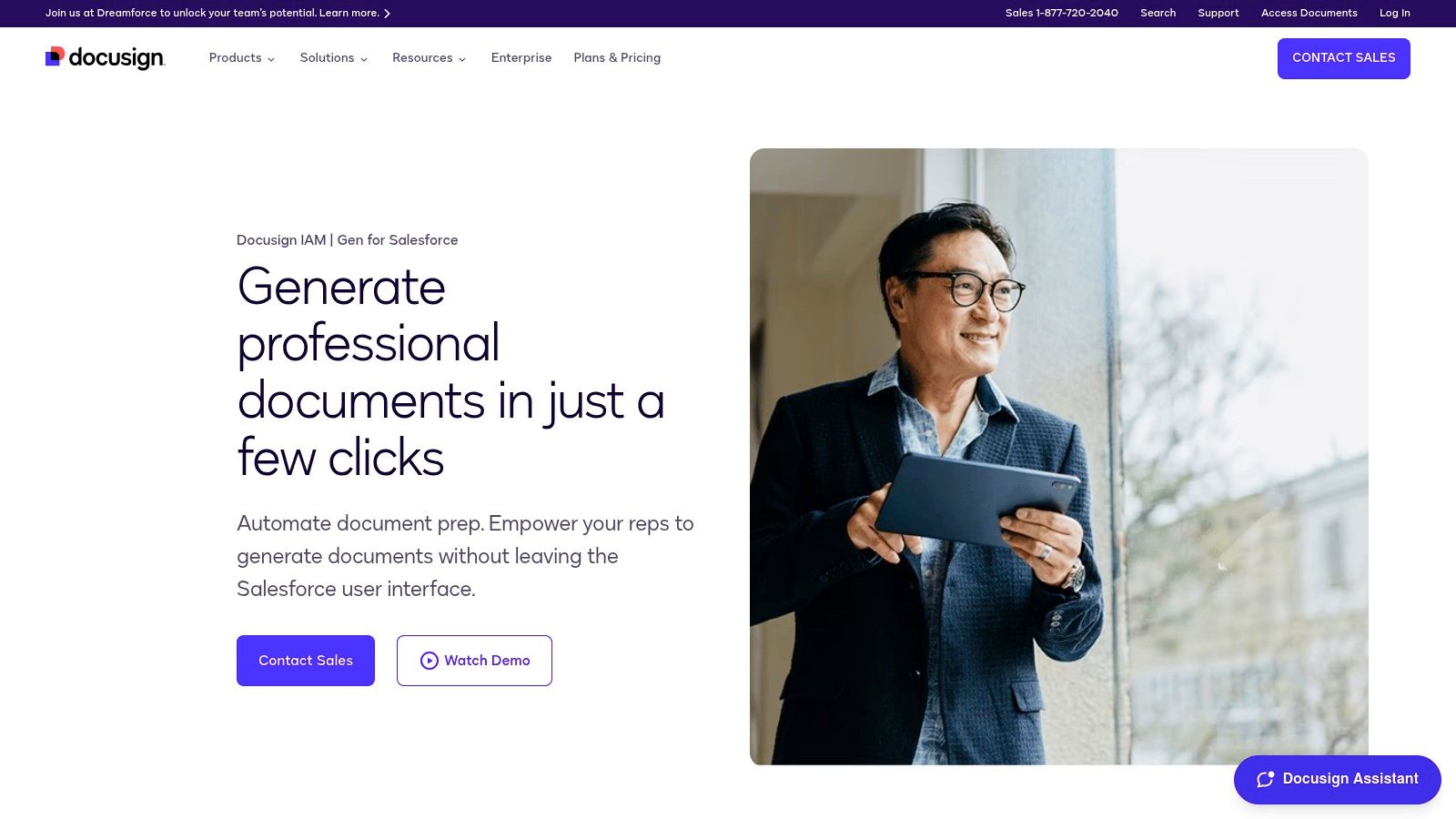
For organizations deeply embedded within the Salesforce ecosystem, DocuSign Gen for Salesforce represents a powerful native solution for document automation. It excels at closing the loop between data management in your CRM and the creation, signing, and storage of critical business documents. This tool is designed to eliminate the manual, error-prone process of copying and pasting customer data into contracts, proposals, and agreements.
Instead of exporting data or using external tools, users can generate polished, accurate documents with a single click directly from a Salesforce record like an Opportunity or Account. This tight integration is its standout feature, making it one of the best document automation software choices for sales, legal, and operations teams who live in Salesforce. The platform leverages your existing CRM data to populate templates, ensuring consistency and dramatically reducing document creation time.
Key Features & Use Cases
DocuSign Gen shines in high-volume, standardized document workflows that originate from CRM data.
- One-Click Generation: Create sales quotes, invoices, statements of work (SOWs), or non-disclosure agreements (NDAs) directly from Salesforce objects. This is especially useful for landmen or developers managing numerous landowner agreements or renewable energy project proposals tied to specific opportunities.
- Conditional Content: Automate document customization by including or excluding specific clauses based on Salesforce field values. For example, a Master Service Agreement (MSA) template can automatically include state-specific legal language based on the client's location data in the CRM.
- Batch & Scheduled Generation: Automate the creation of recurring documents like monthly invoices or quarterly reports for multiple clients at once, saving significant administrative overhead.
- Seamless eSignature Integration: As part of the DocuSign ecosystem, Gen flows directly into DocuSign eSignature, routing documents for signing and automatically saving the completed versions back to the relevant Salesforce record.
Pricing and Access
Accessing DocuSign Gen requires an existing DocuSign eSignature plan, as it is an add-on product. Pricing is typically user-based and varies depending on the specific eSignature plan and the number of users needing Gen capabilities. Prospective users can install a 30-day free trial directly from the Salesforce AppExchange to evaluate its fit.
Pros & Cons
| Pros | Cons |
|---|---|
| Deep Native Integration: Unmatched workflow efficiency within Salesforce. | Salesforce-Dependent: Not a viable option for businesses not using Salesforce as their primary CRM. |
| Reduces Manual Errors: Pulls data directly from the CRM, ensuring accuracy. | Requires eSignature Plan: An additional cost on top of your DocuSign subscription. |
| Streamlined Administration: Templates are managed within Salesforce without needing developer skills. | Limited Cross-Platform Use: Functionality is confined to the Salesforce environment. |
Website: DocuSign Gen for Salesforce
3. Conga Composer
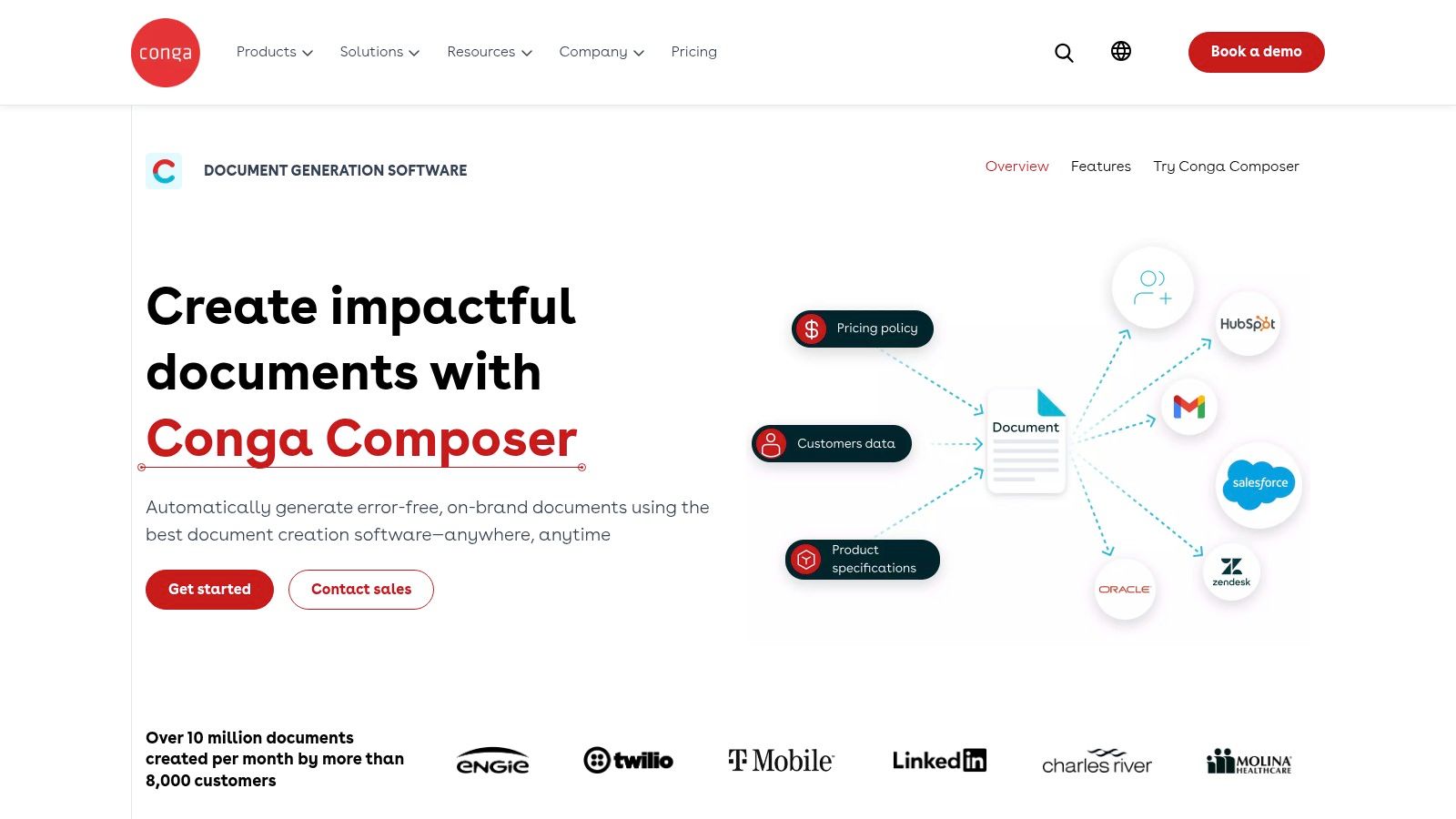
Conga Composer is an enterprise-grade document generation platform renowned for its power and flexibility, particularly within complex revenue and sales workflows. It enables businesses to create sophisticated, data-driven documents in formats like Word, PDF, Excel, and PowerPoint by merging data from multiple sources of record. Its strong Salesforce capabilities and robust engine for high-volume batch automation make it a standout choice for large organizations.
While many tools focus on simple document creation, Conga Composer excels at handling intricate business logic and data manipulation. This makes it one of the best document automation software solutions for companies needing to generate highly customized and complex documents at scale. For land and energy professionals, this means an ability to pull data from various systems to generate comprehensive lease agreements, title reports, or project proposals with precise detail.
Key Features & Use Cases
Conga Composer is ideal for organizations that need to automate documents with complex conditional logic, calculations, and data from multiple objects.
- High-Volume Batch Generation: Automate the creation and delivery of thousands of documents at once. This is perfect for renewable energy developers sending out standardized landowner communications or landmen generating lease packets for multiple parcels simultaneously.
- Complex Template Logic: Build templates that include or exclude entire sections, display dynamic charts, and perform calculations based on intricate data queries and conditional rules.
- Diverse Output & Delivery: Generate documents in various formats and automatically deliver them via email, e-signature, or save them to a specified cloud storage location.
- Flexible Data Sourcing: While its Salesforce integration is best-in-class, it can also pull data from other systems, providing a more holistic view in your final documents.
Pricing and Access
Conga Composer's pricing is customized based on business needs, user count, and specific feature requirements. Accessing a price quote requires a direct consultation with their sales team to tailor a package. Due to its enterprise focus, it is positioned as a premium solution.
Pros & Cons
| Pros | Cons |
|---|---|
| Mature & Scalable: A well-established, powerful solution for enterprise needs. | Custom Pricing: Requires a sales consultation; no transparent pricing is available. |
| Excellent Salesforce Integration: Deep, flexible options for Salesforce users. | Steep Learning Curve: Advanced features may assume significant Salesforce expertise. |
| Industry Leader: Recognized in reports like G2 for its robust capabilities. | Can Be Complex: May be overly powerful for simple document generation needs. |
Website: Conga Composer
4. Formstack Documents (formerly WebMerge)
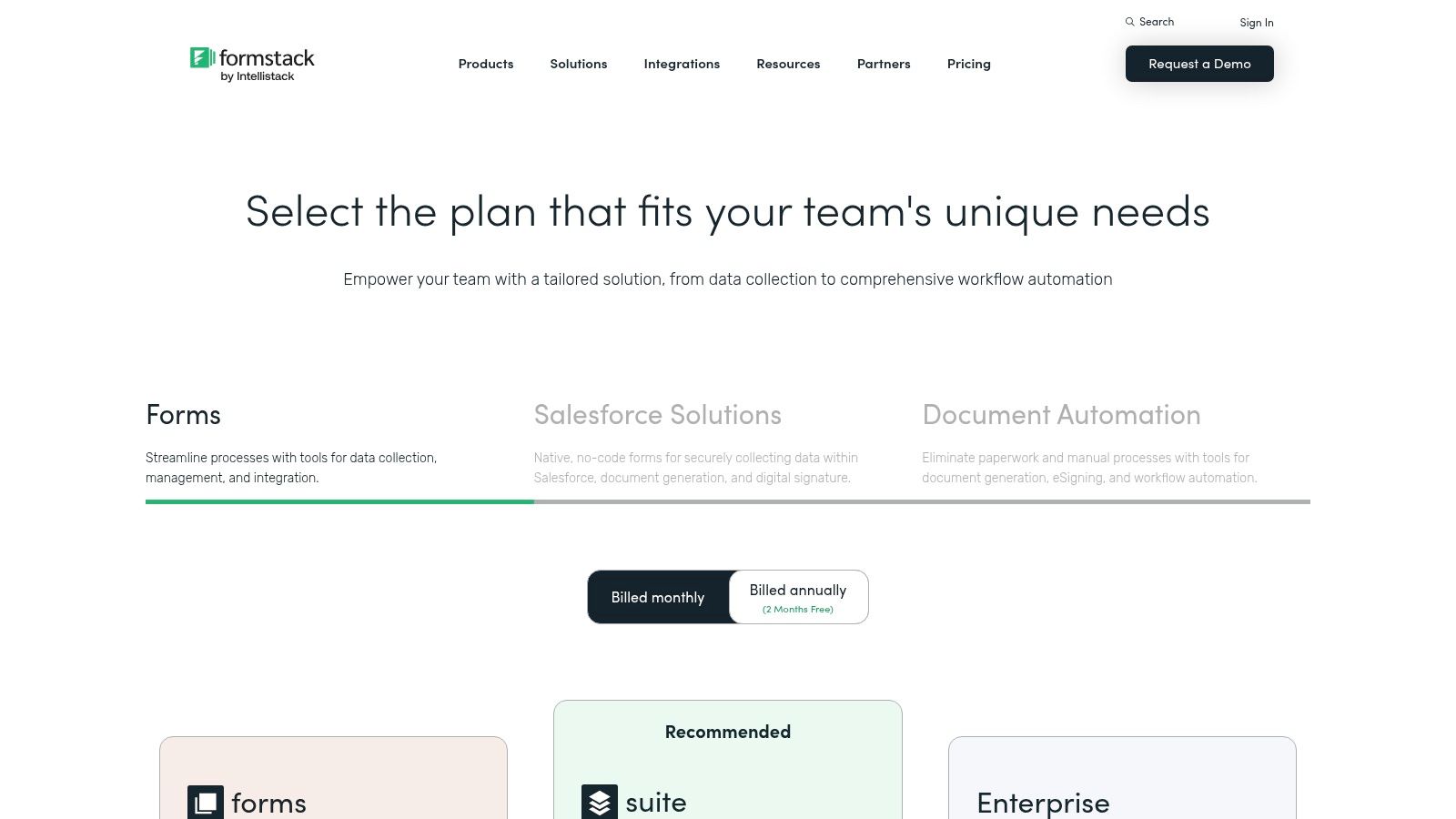
For businesses seeking a flexible, no-code solution that connects data collection to document generation, Formstack Documents is a powerful contender. It serves as a central hub for automatically populating templates with data from a wide range of sources, including web forms, CRMs, and payment gateways. This makes it an ideal choice for streamlining workflows that begin with data entry and end with a polished, deliverable document.
The platform's strength lies in its versatility and ease of use, allowing non-technical users to build complex document workflows without writing a single line of code. Whether you need to generate land acquisition proposals from a web form or create lease agreements from CRM data, Formstack provides the tools to automate the entire process, making it one of the best document automation software options for businesses that need an all-in-one solution.
Key Features & Use Cases
Formstack Documents excels in scenarios where data is collected from multiple points and needs to be consolidated into standardized, professional documents.
- Data Routing: Automatically pull data from services like Formstack Forms, Salesforce, or over 400 other integrations to populate templates. This is highly effective for landmen who need to generate site access agreements or landowner contracts based on information submitted through a secure online form.
- Flexible Delivery Options: Once a document is created, you can automatically email it, send it for e-signature with Formstack Sign, or save it to cloud storage like Google Drive or Dropbox.
- Conditional Logic: Customize documents by showing or hiding specific sections based on the input data. For example, a mineral rights lease agreement could automatically include clauses specific to a particular state or county based on the property's location data.
- All-in-One Suite: When combined with Formstack Forms and Sign, it creates a seamless end-to-end workflow from data capture to document creation and final signature.
Pricing and Access
Formstack Documents can be purchased as a standalone product with pricing tiers based on the number of document merges per month. It is also included in the broader Formstack Suite plans, which bundle Forms, Documents, and Sign. A 14-day free trial is available for users to test the platform's capabilities.
Pros & Cons
| Pros | Cons |
|---|---|
| All-in-One Platform: Combines forms, documents, and e-signature in one suite. | Document Merge Quotas: Plans have monthly limits on the number of generated documents. |
| User-Friendly Interface: Easy no-code setup for business users. | Advanced Features Locked in Higher Tiers: Some key integrations and features require more expensive plans. |
| Extensive Integrations: Connects to hundreds of third-party applications. | Less Native than CRM-Specific Tools: Integration with systems like Salesforce is powerful but not as deeply embedded as a native app. |
Website: Formstack Documents
5. PandaDoc
PandaDoc is a versatile document automation platform that excels in creating, managing, and signing sales-related documents like proposals, quotes, and contracts. Its strength lies in an intuitive, drag-and-drop editor and a rich content library, which allows teams to quickly assemble professional, on-brand documents without needing design or technical skills. This focus on ease of use and speed makes it a top choice for sales, marketing, and SMBs looking to streamline their proposal-to-payment workflow.
The platform is designed to manage the entire document lifecycle, from creation and collaboration to eSignature and analytics. For land and energy developers, this means proposals for new projects can be built from pre-approved templates, sent to stakeholders for approval, and tracked in real-time to see when they are opened and viewed. This end-to-end functionality, combined with a user-friendly interface, solidifies its position as one of the best document automation software options for fast-moving teams.
Key Features & Use Cases
PandaDoc is ideal for organizations that need to produce customized, visually appealing documents at scale.
- Drag-and-Drop Editor: Build proposals and contracts using a library of reusable content blocks, pricing tables, and media. This is perfect for renewable energy developers who need to quickly create customized project proposals by pulling in standard legal clauses, project specs, and case studies.
- Real-Time Tracking & Analytics: Receive notifications when a document is opened, viewed, and completed. Analytics provide insights into which sections of a proposal are most viewed, helping refine future documents.
- Integrated eSignatures & Payments: Streamline the final steps by collecting legally binding eSignatures and processing payments directly within the signed document.
- CRM & API Integrations: Connects with popular CRMs to pull customer data directly into documents, reducing manual entry and errors. The API allows for deeper integration with custom business systems.
Pricing and Access
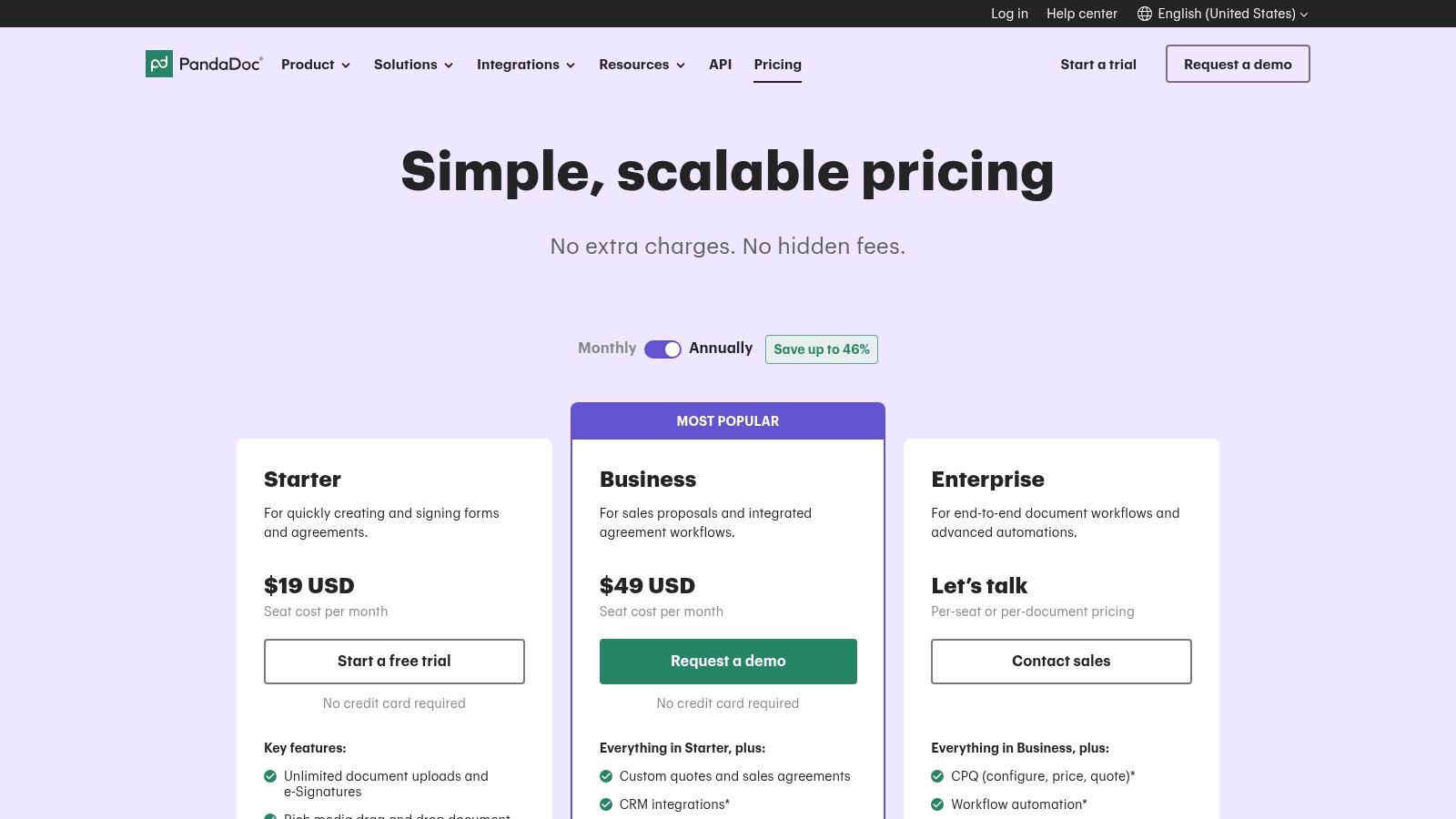
PandaDoc offers several pricing tiers, including a free plan for basic eSignature needs. Paid plans like Essentials and Business are priced per user, per month and unlock more advanced features such as templates, a content library, and CRM integrations. An Enterprise plan is available for teams needing more complex automation, CPQ functionality, and deeper integrations. A 14-day free trial is available for the paid plans.
Pros & Cons
| Pros | Cons |
|---|---|
| User-Friendly Interface: Fast deployment with a rich template library and intuitive design tools. | Cost at Scale: Per-seat pricing can become expensive for large teams or entire organizations. |
| End-to-End Workflow: Manages the entire process from document creation to signature and payment. | Advanced Logic is Tier-Gated: Complex CPQ and ERP logic requires the more expensive Enterprise plan. |
| Comprehensive Analytics: Provides valuable insights into recipient engagement with documents. | Template Customization Limits: While strong, highly complex or unique branding may require some workarounds. |
Website: PandaDoc
6. Adobe Acrobat Services (Document Generation API)
For businesses that require deep integration of document workflows into their proprietary systems, Adobe Acrobat Services offers a powerful, developer-centric solution. Rather than a standalone application, it provides a suite of cloud-based APIs, including the Document Generation API. This allows developers to embed high-fidelity document creation directly into custom applications, portals, or backend processes, making it one of the best document automation software choices for tech-forward organizations.
This platform excels at programmatically generating professional, data-driven documents like contracts, reports, and invoices from Microsoft Word templates and JSON data. Its strength lies in its flexibility and scalability, enabling companies to build bespoke automation that perfectly fits their unique operational needs without being tied to a specific CRM or third-party user interface.
Key Features & Use Cases
Adobe's API-first approach is ideal for embedding document creation into custom-built systems.
- API-Driven Generation: Programmatically create documents by merging JSON data with Word templates. This is perfect for land and energy developers using custom platforms to generate hundreds of site-specific lease agreements or environmental impact reports automatically.
- Comprehensive PDF Tools: Beyond generation, the service includes APIs for PDF conversion, assembly, OCR, and e-signatures, providing a full document lifecycle toolkit within a single ecosystem.
- Easy Templating: A Microsoft Word add-in allows non-developers to create and tag templates, simplifying the process of defining where dynamic data should be placed.
- Scalable Architecture: Built on a robust cloud infrastructure, the service can handle fluctuating volumes, from a few documents a day to thousands per hour, without manual intervention.
Pricing and Access
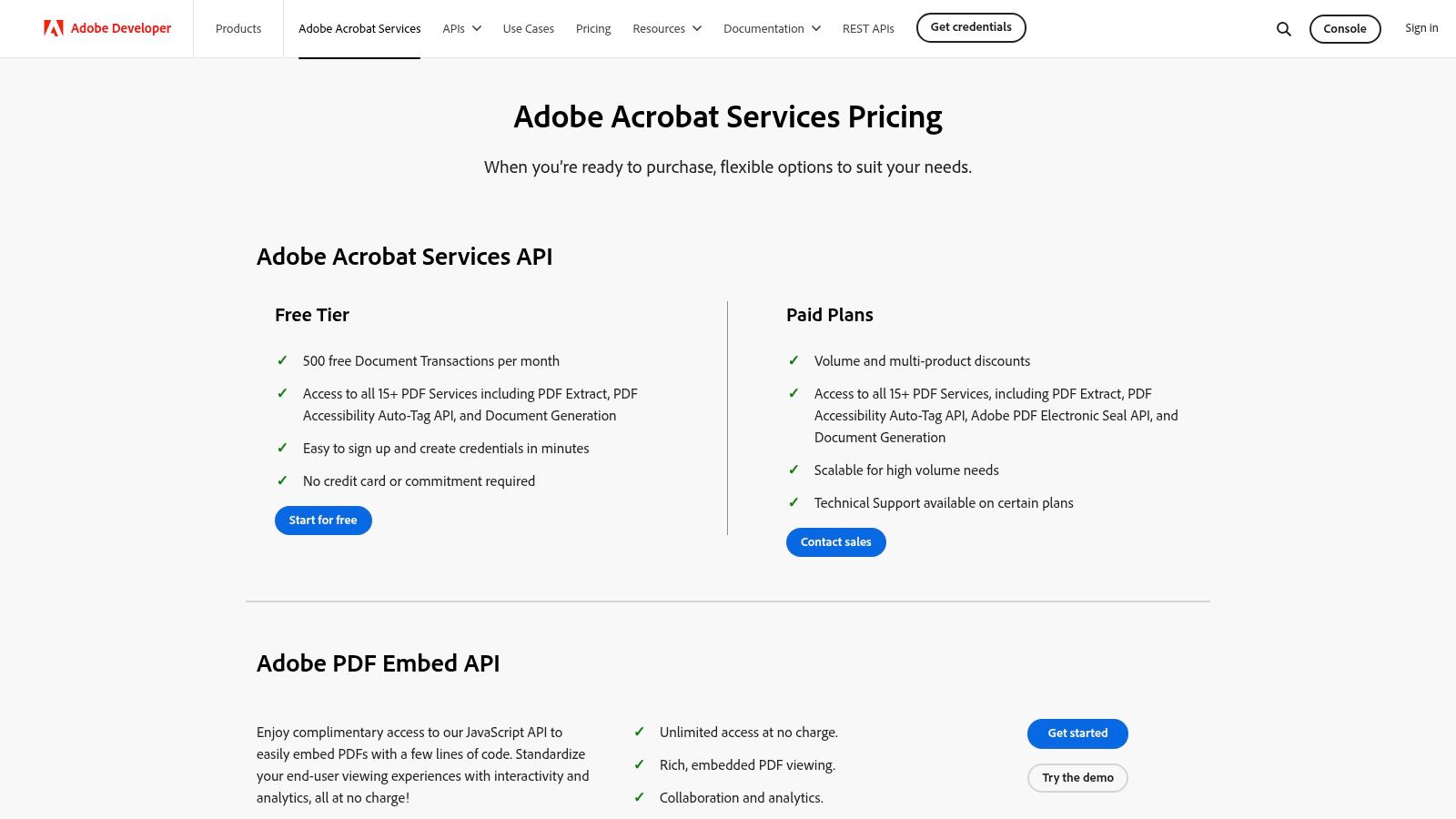
Adobe Acrobat Services operates on a usage-based model with a generous free tier that includes 500 document transactions per month, ideal for testing or low-volume needs. Paid plans are based on transaction volume, offering predictable costs that scale with use. Enterprise plans with enhanced support and features are also available. Developers can get started by creating a free account and accessing credentials on the Adobe Developer Console.
Pros & Cons
| Pros | Cons |
|---|---|
| Developer-Friendly & Flexible: Highly adaptable to any custom application or workflow. | Requires Developer Resources: Integration is not an out-of-the-box process and needs technical expertise. |
| Generous Free Tier: Excellent for pilots, startups, and low-volume use cases. | Usage-Based Pricing: Requires careful monitoring and cost modeling to avoid unexpected expenses at scale. |
| Broad PDF Toolkit: Offers extensive document manipulation capabilities beyond simple generation. | Less User-Friendly for Non-Tech Staff: Business users cannot create workflows without developer support. |
Website: Adobe Acrobat Services
7. Nintex DocGen for Salesforce (formerly Drawloop)
With a long-standing reputation in the Salesforce ecosystem, Nintex DocGen (formerly known as Drawloop) is a go-to solution for businesses needing robust, no-code document generation capabilities. It empowers teams to create complex and data-rich documents like proposals, contracts, and license letters directly from Salesforce records. The platform is designed to automate the entire document lifecycle, from creation to delivery and e-signature, all within the familiar Salesforce environment.
Its key differentiator is its ability to handle intricate document packages with ease using a point-and-click interface. This makes it a strong contender for the best document automation software for organizations that have outgrown basic mail-merge functions and require more sophisticated logic and batch processing without relying on developer resources.
Key Features & Use Cases
Nintex DocGen excels at producing highly customized, multi-component document packages triggered from any standard or custom Salesforce object.
- Point-and-Click Generation: Users can generate sophisticated sales proposals, service agreements, or detailed land use contracts from any Salesforce record with a single click. This is ideal for landmen who need to quickly assemble landowner agreements pulling data from multiple related records.
- Complex Document Packages: Combine multiple templates and data sources into a single, cohesive document package. For example, a renewable energy developer could bundle a site lease agreement, an environmental impact statement, and a project timeline into one package generated from an opportunity record.
- Batch & Scheduled Automation: Automate the creation and delivery of hundreds of documents at once, perfect for sending out monthly royalty statements or annual license renewal letters to numerous stakeholders.
- Flexible Delivery & eSignature: Integrates smoothly with Nintex eSign, DocuSign, and other services, allowing for automated delivery via email, Chatter, or cloud storage, and seamless routing for electronic signatures.
Pricing and Access
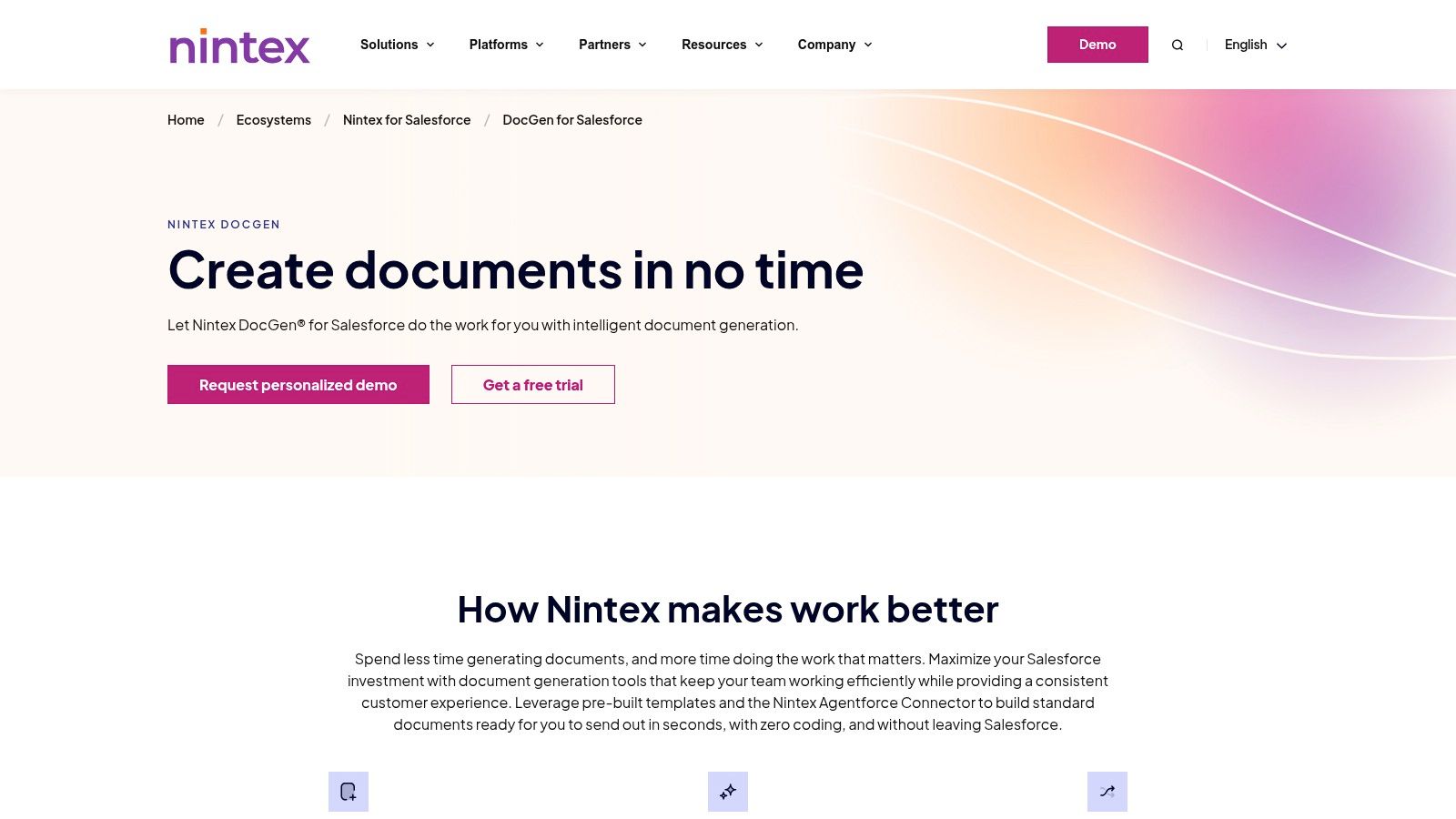
Nintex DocGen pricing is not publicly listed and varies based on the edition (Standard, Enterprise) and the number of users. It is sold as a Salesforce add-on. A significant advantage is the ability to install a free, fully-functional trial directly from the Salesforce AppExchange to test its capabilities within your own environment.
Pros & Cons
| Pros | Cons |
|---|---|
| Established Salesforce Pedigree: Extensive documentation and a long history within the ecosystem. | Salesforce-First Focus: Limited utility for companies not operating primarily within Salesforce. |
| Handles Complex Documents: Excels at creating sophisticated, multi-part document packages. | Pricing Not Public: Requires a direct sales inquiry to get a quote, which can slow evaluation. |
| Easy Trial Access: Free trial is available directly from the AppExchange for hands-on evaluation. | Learning Curve: Advanced features may require some initial setup and learning. |
Website: Nintex DocGen for Salesforce
8. airSlate WorkFlow and Document Automation Hub
airSlate offers an all-in-one, no-code platform for comprehensive document workflow automation, extending beyond simple generation to include e-signatures, form creation, and robotic process automation (RPA). It is designed as an end-to-end solution that allows businesses to build, manage, and automate their document-centric processes from a single hub. This integrated approach makes it a strong contender for the best document automation software for teams seeking a unified system rather than a collection of separate tools.
The platform's standout feature is its powerful visual workflow builder, which empowers users to design complex, multi-step processes involving document creation, routing, approvals, and archiving without writing any code. For professionals in land and energy, this means you can build a complete workflow for managing mineral rights leases or solar farm agreements, from initial data collection via a web form to final e-signature and secure storage, all within airSlate.
Key Features & Use Cases
airSlate excels at automating entire business processes that revolve around documents, not just isolated tasks.
- No-Code Workflow Automation: Use a drag-and-drop editor to build "Flows" that automate document routing, notifications, and integration with other apps. A landman could create a flow that automatically generates a lease agreement, sends it for internal review, routes it for e-signature, and then saves the final document to a cloud storage provider.
- Integrated Tool Suite: The platform includes document generation, robust e-signature capabilities via signNow, and an online PDF editor (pdfFiller), eliminating the need for separate subscriptions.
- Automation Bots: Deploy no-code bots to handle tasks like data pre-filling, exporting records to a CRM or spreadsheet, and sending reminders, reducing manual intervention in your workflows.
- Developer API: For advanced needs, the Developer Hub provides extensive API access to embed document automation directly into custom applications or websites, such as a portal for landowner agreement submissions.
Pricing and Access
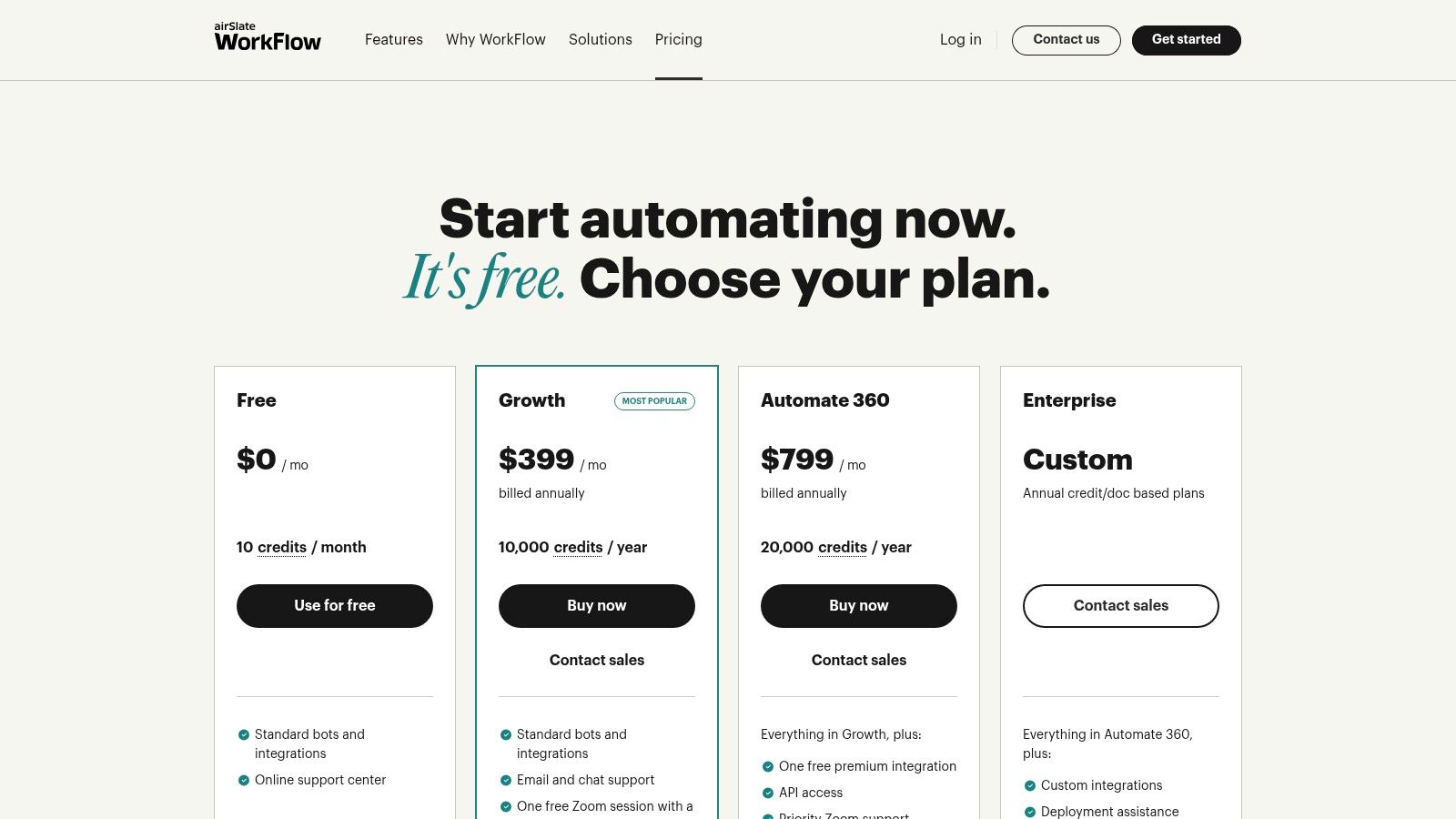
airSlate utilizes a unique, usage-based pricing model centered on credits. Core plans, like the Business Plan, offer unlimited users and e-signatures but provide a set number of "Flow" credits per year. This model can be highly cost-effective for teams with many users but predictable document volumes. Custom enterprise plans and pay-as-you-go API pricing are also available.
Pros & Cons
| Pros | Cons |
|---|---|
| All-in-One Platform: Combines document generation, e-signature, and workflow automation. | Credit-Based Pricing: Requires careful estimation of document volume to avoid overages. |
| Unlimited Users: Core plans do not charge per seat, making it scalable for large teams. | Learning Curve: The breadth of features can be overwhelming for users new to workflow automation. |
| Strong API Support: Excellent for embedding automation into custom business systems. | Advanced Integrations: May require higher-tier plans or more credits for full functionality. |
Website: airSlate
9. Apryse Fluent (formerly Windward)
For software developers and independent software vendors (ISVs) needing to embed high-performance document generation directly into their applications, Apryse Fluent stands out. It functions as a powerful, embeddable engine designed for high-volume, server-side document creation and reporting. Unlike user-facing platforms, Fluent is a developer-centric tool that integrates into an application’s backend to generate documents programmatically.
This makes it one of the best document automation software choices for SaaS companies building platforms for industries like energy or real estate, where generating thousands of land agreements, title reports, or project proposals is a core function. The engine allows end-users to design complex templates in Microsoft Office, leveraging familiar tools to create sophisticated layouts with conditional logic, charts, and tables that are then powered by application data.
Key Features & Use Cases
Fluent excels in scenarios where document automation is a core, integrated feature of a larger software product.
- Embeddable Engine: Built for developers to integrate directly into Java, .NET, or RESTful applications, providing a seamless document generation experience for the software’s end-users.
- Microsoft Office Template Design: Business users can design and manage templates in Word, Excel, or PowerPoint, using conditional logic and data tags without needing to write code. This is ideal for landmen who need to customize lease agreements or right-of-way documents based on specific parcel data.
- Diverse Data Source & Output Support: Connect to various data sources like JSON, XML, or SQL databases and output documents in multiple formats, including PDF, DOCX, XLSX, and HTML.
- High-Volume Generation: Optimized for speed and scalability, capable of producing a high throughput of documents for enterprise-level applications, such as generating thousands of landowner royalty statements at once.
Pricing and Access
Apryse Fluent’s pricing is not publicly listed and requires a custom quote. They offer flexible licensing models, including a per-server option (PRO) for unlimited document generation or a per-page model (Flex) for usage-based needs. This allows ISVs to choose a cost structure that aligns with their application's business model.
Pros & Cons
| Pros | Cons |
|---|---|
| High-Performance & Embeddable: Well-suited for high-volume and integrated document generation within SaaS products. | Developer Involvement Required: Implementation is a technical process, not a no-code solution for business users. |
| User-Friendly Template Design: Empowers non-technical users to create complex templates in Microsoft Office. | Pricing via Custom Quote: Lack of transparent pricing requires direct sales engagement. |
| Part of Apryse's Document Stack: Integrates well with Apryse's other robust document processing tools. | Not a Standalone Platform: Designed to be a component within another application, not for direct business use. |
Website: Apryse Fluent (formerly Windward)
10. Docmosis
Docmosis provides a powerful and flexible document generation engine that appeals to organizations valuing control and transparent pricing. It stands out by offering both cloud-based and self-hosted deployment options, catering to businesses with varying security, scalability, and budget requirements. This platform is not a point-and-click interface but a robust API-driven service designed for developers or administrators to integrate directly into existing business applications.
The core strength of Docmosis lies in its developer-first approach and unique licensing model. Unlike many subscription-only services, it offers a one-time perpetual license for its on-premises Tornado server, making it a cost-effective choice for high-volume document generation over the long term. This makes it one of the best document automation software options for businesses looking to build document creation capabilities directly into their proprietary systems without recurring monthly fees.
Key Features & Use Cases
Docmosis is ideal for embedding document generation into custom software, portals, or complex back-end processes.
- Flexible Deployment: Choose between a managed cloud service (SaaS) or a self-hosted Tornado server for complete data control and unlimited document volume.
- Familiar Template Design: Users can create and edit templates using common tools like Microsoft Word or LibreOffice, eliminating the need to learn a proprietary design interface.
- Broad SDK Support: Provides native SDKs for Java, .NET, Python, and other languages, allowing for seamless integration with a wide range of technology stacks. This is useful for energy companies needing to generate land-use agreements or compliance reports from internal databases.
- API-Driven Generation: Automate the creation of invoices, reports, welcome letters, or legal contracts by sending data in JSON or XML format to the Docmosis API.
Pricing and Access
Docmosis offers highly transparent pricing. Cloud plans are based on pages generated per month, starting from a free tier and scaling up, with soft limits to prevent service interruption. The self-hosted Tornado server is available via a one-time perpetual license fee, which includes unlimited documents and users. A 30-day, full-featured trial is available for both cloud and on-premises versions.
Pros & Cons
| Pros | Cons |
|---|---|
| Transparent Pricing Models: Clear page-based pricing for cloud and a one-time fee for on-premises. | Requires Developer Resources: Integration and setup are not for non-technical users. |
| Perpetual Licensing Option: Rare and cost-effective for long-term, high-volume use. | Complex Templates Need Design Care: Advanced logic and formatting may require a learning curve. |
| Full-Featured Trial: Allows for comprehensive evaluation before committing. | Less of a Standalone Platform: It's an engine meant to be built into other software. |
Website: Docmosis
11. HotDocs (by Mitratech)
HotDocs is an enterprise-grade document assembly platform designed for creating complex, customized, and compliant documents at scale. It's a go-to solution in highly regulated industries like legal, banking, and government, where precision and adherence to rules are paramount. The system transforms frequently used documents and forms into intelligent templates that guide users through an interview-like process to gather necessary data.
This interview-based approach is what sets HotDocs apart, making it one of the best document automation software choices for handling intricate logic. Instead of just populating fields, it can dynamically add or remove entire clauses, perform calculations, and format content based on user responses. This ensures that even the most complex legal agreements or financial contracts are generated accurately and consistently every time, minimizing risk and ensuring compliance.
Key Features & Use Cases
HotDocs excels where documents require extensive customization based on a complex set of variables and business rules.
- Advanced Interview Templates: Create dynamic, question-and-answer sessions that build documents. This is ideal for landmen generating complex mineral rights lease agreements, where variables like royalty percentages, land use restrictions, and state-specific clauses must be correctly included.
- Centralized Template Management: Maintain a single, controlled source of truth for all organizational templates, ensuring everyone uses the most current and compliant versions.
- Enterprise System Integration: Use the robust API to connect HotDocs with core business systems like CRMs, practice management software, or proprietary databases for seamless data flow.
- Complex Document Handling: Manage sophisticated document requirements, including nested conditional logic, loops for repeating data (like multiple property descriptions), and multi-language support.
Pricing and Access
HotDocs is a premium, enterprise-focused solution. Pricing is available only by requesting a direct quote from Mitratech and is tailored to organizational needs, deployment type (cloud or on-premise), and the number of users. Implementation and template migration often require specialized professional services, which is a key consideration for budgeting.
Pros & Cons
| Pros | Cons |
|---|---|
| Proven for Complex Documents: Unmatched capability in handling high-stakes legal and financial documents with intricate logic. | Premium Pricing: Can be a significant investment, with costs available only via a custom quote. |
| Strong Governance: Centralized control over templates ensures compliance and reduces risk. | Requires Expert Services: Implementation and template creation can be complex and may require professional assistance. |
| Scalable and Robust: Trusted by large enterprises and government agencies for high-volume document generation. | Steeper Learning Curve: More powerful than simple "fill-in-the-blank" tools, requiring more initial training. |
Website: HotDocs (by Mitratech)
12. G2 — Document Generation Software Category
While not a software itself, G2's Document Generation category is an indispensable research hub for any organization evaluating automation tools. It serves as a comprehensive, user-driven marketplace, offering a bird's-eye view of the entire software landscape. This makes it a crucial first stop for shortlisting potential solutions and discovering niche tools that might otherwise be overlooked.
Instead of relying solely on vendor marketing, G2 provides a platform for real-world feedback, featuring verified user reviews, detailed ratings, and direct comparisons. For land and energy professionals, this is particularly valuable for identifying software with proven success in their specific industry. The platform allows you to filter solutions by features, company size, and user satisfaction, helping you move from a broad search to a curated list of the best document automation software for your needs.
Key Features & Use Cases
G2 is best used during the initial discovery and validation phases of your software purchasing process.
- Comparative Analysis: Use G2 Grids and comparison tools to see how top-rated platforms stack up against each other on key features like template management, data integration, and compliance.
- Discover Niche Solutions: Uncover specialized tools tailored for industries like real estate or energy that larger, more generic platforms might not serve as effectively.
- Validate Vendor Claims: Read unfiltered reviews from actual users to understand the practical pros and cons of a platform, cutting through marketing hype to see how it performs in real-world scenarios.
- In-Depth Buyer Guides: Access articles and reports that outline key considerations when purchasing document generation software, helping you build a more informed request for proposal (RFP).
Pricing and Access
G2 is a free-to-use resource for buyers. You can browse all categories, read reviews, and compare products without a subscription. Creating a free account allows you to save comparisons and contribute your own reviews.
Pros & Cons
| Pros | Cons |
|---|---|
| Broad Market Overview: Comprehensive view with verified, unbiased user feedback. | Sponsored Listings: Be aware that some vendor placements are sponsored, which can influence visibility. |
| Discover Niche Tools: Helps find industry-specific solutions that fit unique workflows. | Information Can Lag: Pricing and feature details may not always be perfectly up-to-date with vendor changes. |
| Free to Research: No cost to access valuable buyer insights and comparisons. | Review Verification: While robust, review quality can vary, requiring critical reading. |
Website: G2 Document Generation Software Category
Top 12 Document Automation Software Comparison
| Product | Core Features / Capabilities | User Experience / Quality ★ | Value Proposition 💰 | Target Audience 👥 | Unique Selling Points ✨ |
|---|---|---|---|---|---|
| TitleTrackr 🏆 | AI-powered real estate title search, automated data extraction, professional report generation | ★★★★★ Up to 90% efficiency boost | Custom pricing, ROI focused | Real estate title abstractors, energy developers 👥 | Generative AI, seamless integration, chat-driven insights ✨ |
| DocuSign Gen for Salesforce | Salesforce-native doc generation, e-signature routing | ★★★★ Streamlined CRM workflow | Requires DocuSign plan | Salesforce users, sales teams 👥 | One-click doc creation, deep Salesforce integration ✨ |
| Conga Composer | Batch doc generation, complex templates, multi-format | ★★★★ Enterprise scalable | Custom pricing | Enterprises, Salesforce-centric users 👥 | Salesforce synergy, wide format support ✨ |
| Formstack Documents | No-code template builder, form and CRM integration | ★★★★ Business-friendly, easy setup | Transparent plans, usage limits | SMBs, businesses needing document automation 👥 | All-in-one platform with no-code ease ✨ |
| PandaDoc | Proposal & contract automation, e-signatures, CPQ tools | ★★★★ Fast deployment, rich analytics | Per-seat pricing, free trials | Sales & SMBs-midmarket 👥 | End-to-end signature workflow, drag/drop editor ✨ |
| Adobe Acrobat Services | Developer APIs for doc gen, PDF tools, Word integration | ★★★★ Scalable, developer friendly | Usage-based, generous free tier | Developers, enterprises 👥 | Broad PDF & doc services, scalable cloud API ✨ |
| Nintex DocGen for Salesforce | Salesforce doc generation, batch support, e-signature | ★★★★ Salesforce optimized | Pricing varies | Salesforce-first orgs 👥 | Point-and-click doc gen, AppExchange trial ✨ |
| airSlate WorkFlow & Doc Automation | No-code workflow builder, e-signature, API access | ★★★★ Flexible, unlimited users option | Credit-based pricing | SMEs to enterprises 👥 | Integrated bots & apps, usage-based flexibility ✨ |
| Apryse Fluent (Windward) | Embedded doc gen engine, Office templates, multi-data | ★★★★ High volume, enterprise ready | Custom quote | SaaS & ISV developers 👥 | Flexible licensing, embeddable engine ✨ |
| Docmosis | Cloud/self-hosted doc gen, page-based pricing, SDKs | ★★★★ Transparent, trial available | Page-based & perpetual licenses | Developers, admins 👥 | Perpetual licensing option, full-feature trial ✨ |
| HotDocs (by Mitratech) | Complex rules-driven doc assembly, multi-language | ★★★★ Proven for regulated industries | Premium custom pricing | Legal, banking, government 👥 | Advanced conditional logic, version control ✨ |
| G2 — Document Generation Category | Marketplace for reviews, buyer guides | ★★★★ Broad user feedback | Free to browse | Buyers researching doc gen tools 👥 | Verified user reviews, niche solution discovery ✨ |
Making Your Final Decision and Taking the Next Step
Navigating the landscape of document automation software can feel overwhelming. We've explored a wide range of powerful platforms, from versatile, all-purpose tools like PandaDoc and Formstack Documents to deeply integrated Salesforce solutions such as Conga Composer and Nintex DocGen. Each offers a unique set of features designed to tackle specific business challenges, reduce manual effort, and enforce consistency across your organization.
However, the central takeaway from this comprehensive review is that there is no single "best" solution for everyone. The true value of a platform is unlocked only when its capabilities are precisely aligned with your industry's specific workflows, regulatory requirements, and data complexities. Choosing the right tool is a strategic decision that directly impacts operational efficiency, accuracy, and ultimately, your bottom line.
How to Choose the Right Document Automation Software
Your final selection should be guided by a clear-eyed assessment of your unique operational needs. A generic tool might solve a small part of the problem but often creates new bottlenecks when forced to handle specialized, industry-specific documents. To make a confident choice, consider the following critical factors:
- Document Complexity and Data Sources: Are you creating simple sales proposals from structured CRM data, or are you generating complex legal reports from unstructured sources like scanned deeds, leases, and plats? The more complex and varied your source documents, the more you need a specialized, intelligent solution.
- Industry Specialization: General business tools are not designed to understand the nuanced language and intricate data relationships found in title commitments, mineral rights leases, or renewable energy site assessments. A purpose-built platform understands your industry’s vocabulary and workflow, leading to faster implementation and higher accuracy.
- Integration vs. Intelligence: Many platforms focus heavily on integrating with existing systems like Salesforce. While this is crucial, it’s only half the equation. For industries like real estate title and energy development, the critical need is for intelligent data extraction from existing documents before new ones can even be generated. Ask yourself: Does this tool just merge data, or does it understand and analyze it?
- Implementation and Scalability: Consider the technical lift required to get started. Will your team need extensive developer support to build and maintain templates using an API-first tool like Adobe Acrobat Services? Or do you need an intuitive, user-friendly interface that business users can manage? Ensure the platform can scale with your business as you take on more projects and clients.
A Clear Path Forward for Land and Energy Professionals
For professionals in real estate title, oil and gas, and renewable energy, the choice becomes clearer. Your work hinges on the accurate interpretation of dense, often historical, legal documents. A standard document generation tool that simply populates a template with pre-filled data fails to address the core challenge: extracting and structuring the critical information in the first place.
This is where the distinction between document automation and intelligent document processing becomes paramount. While many of the tools we’ve discussed excel at the former, TitleTrackr was engineered specifically for the latter. It doesn't just put names and dates into a form; its AI-powered engine reads, comprehends, and extracts key data points from complex land and title records with unparalleled precision. This foundational step is what enables true, end-to-end workflow automation, delivering efficiency gains of up to 90%.
Ultimately, the best document automation software for your business will be the one that acts as a true strategic partner, eliminating your most significant bottlenecks rather than just digitizing a single step. By focusing on your specific industry needs and the underlying complexity of your data, you can move beyond simple document creation and unlock transformative operational efficiency.
The right technology doesn't just make your current process faster; it fundamentally changes what’s possible for your team. If you operate in the complex world of title research or energy development, see for yourself how AI-driven automation can provide a decisive competitive advantage. Request a personalized demo of TitleTrackr to witness how our platform can intelligently analyze your documents and streamline your entire workflow.
 blog.titletrackr.com
Leave a comment